
This tutorial guides you through setting up a data pipeline on the Agnostic platform, a managed service that deploys cloud/data pipelines using ClickHouse and Apache Iceberg with automatic scaling and compute instance sizing, eliminating DevOps overhead. This tutorial focuses on the platform setup process, as pipeline configuration details are covered in the AGT section of the documentation.
Step 1: Log In to the Platform
Access the Agnostic platform at https://app.agnostic.tech using your credentials. Ensure an admin has configured your team’s managed infrastructure and project settings, including access to ClickHouse and Iceberg resources.
Step 2: Start Pipeline Creation
From the platform’s dashboard:
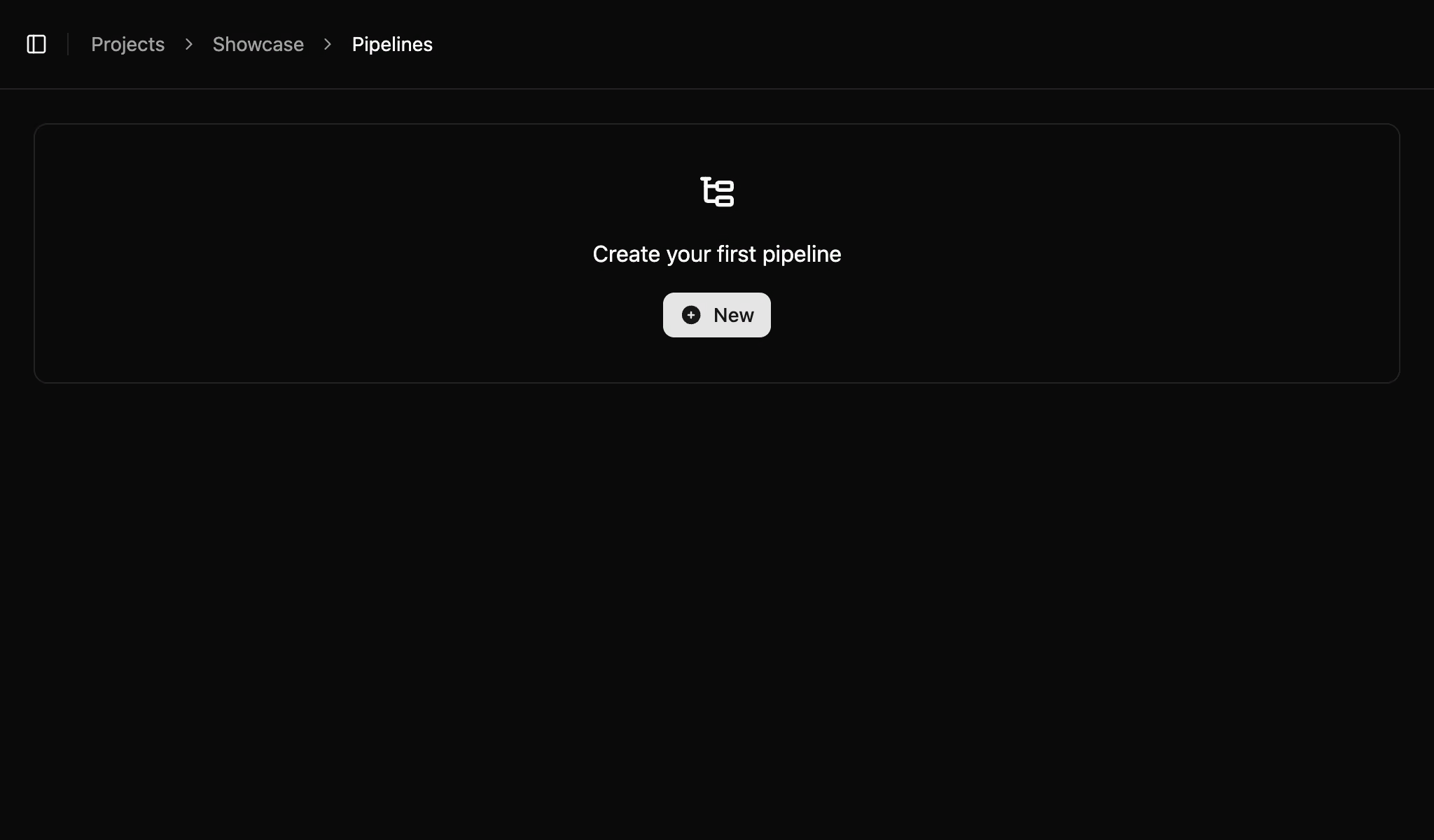
- Navigate to the Pipelines section.
- Click New to begin configuring a new pipeline.
Step 3: Connect Your GitHub Repository
Link your GitHub repository to the platform:
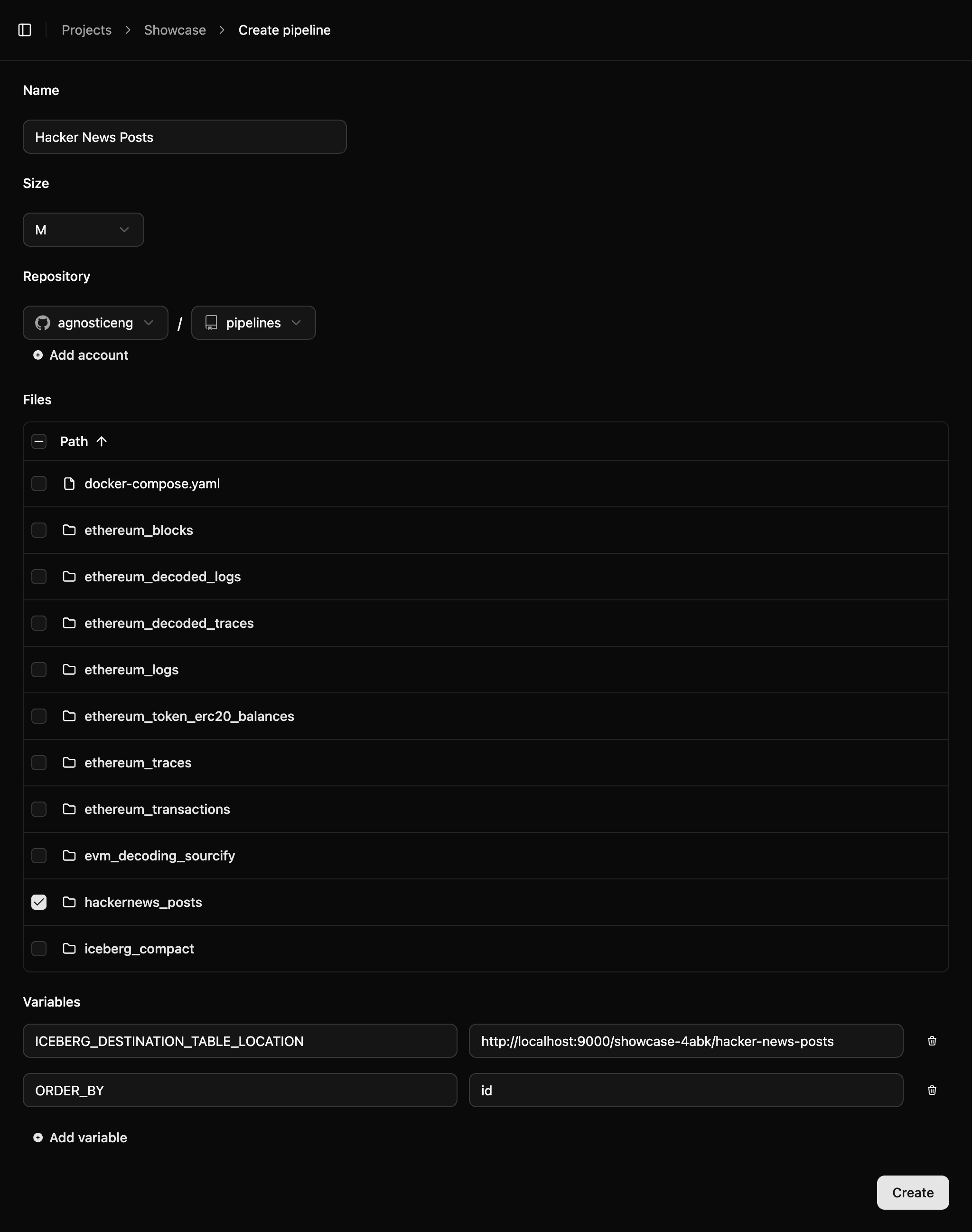
- In the pipeline creation interface, select Connect GitHub Repository.
- Authenticate with GitHub and choose the repository containing your pipeline configuration files (e.g.,
pipeline.yamland associated queries). - Select the relevant files or directory (e.g.,
examples/hackernews_postsfrom the AGT repository).
Step 4: Configure the Pipeline
Set up the pipeline:
- Name the Pipeline: Provide a clear name (e.g., “HackerNews ETL”).
- Set Variables: Specify required
vars, such as:ICEBERG_DESTINATION_TABLE_LOCATION: The S3 endpoint URL (e.g.,s3://your-bucket/hn_posts).ORDER_BY: The sorting column (e.g.,id).- Other variables as needed by your pipeline’s queries.
- Verify that the selected configuration files align with your pipeline’s requirements, as detailed in the AGT documentation.
Step 5: Deploy the Pipeline
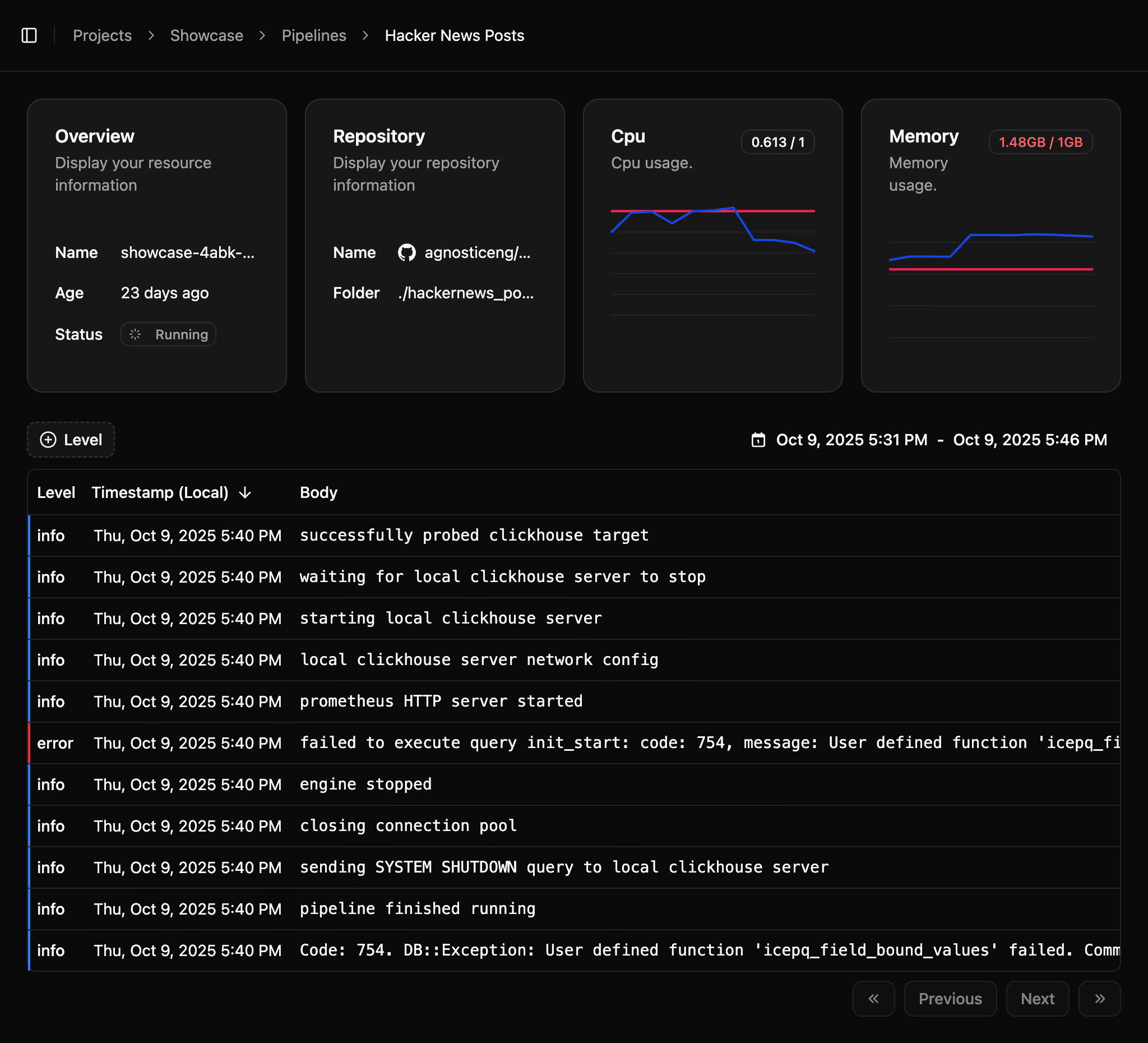
- Click Create Pipeline to deploy it on Agnostic’s managed infrastructure, which automatically provisions and scales resources.
- Monitor the pipeline’s status in the dashboard for logs and progress updates.
- If issues arise, review logs or check configuration files and variables.
Step 6: Fetch and Verify Data
To query the newly created data, use AGP (Agnostic Query Platform), as described in the AGP section of the documentation. AGP provides tools to connect to your Iceberg table and analyze the output efficiently.
This tutorial covers the essentials of deploying a pipeline on the Agnostic platform. For pipeline configuration details, refer to the AGT section , and for querying data, see the AGP documentation.